Most ecommerce brands send a campaign, check the placed order revenue, and move on to the next send. That is a mistake. If you want consistently high revenue from email, you need to know whether your messages actually land in the inbox or get dumped straight into the spam folder.
Klaviyo provides a dedicated deliverability tab inside every campaign report. It breaks down exactly how inbox providers treat your emails. Here is how to read those numbers and use them to protect your sender reputation.
The Core Campaign Deliverability Metrics
When you open the deliverability tab for any sent campaign, Klaviyo gives you an immediate high-level snapshot. You will see open rates, click rates, bounce rates, unsubscribe rates, and spam complaint rates side by side.
Klaviyo also displays industry benchmarks right alongside your stats. This immediately tells you where you stand against peer brands in your category. It splits your performance into two clear buckets: positive engagements (opens and clicks) and negative engagements (bounces, unsubscribes, and spam complaints).
Negative metrics carry far more weight with inbox providers like Google and Yahoo. If your spam complaint rate creeps above 0.1%, or your bounce rate spikes over 2%, inbox placement drops across the board.
Isolating Problem Domains and Inbox Providers
Further down the report, Klaviyo splits your delivery performance by inbox provider (like Gmail, Hotmail, and Verizon) and specific email domains. You will occasionally see regional providers in there too, like BigPond in Australia.
This domain-level view is critical. Sometimes your overall bounce rate looks acceptable at 1.5%, but when you look closer, Hotmail might be bouncing at 12%. That tells you Microsoft has throttled your domain or flagged your content.
When a specific provider shows elevated bounces or poor delivery, take immediate action:
- Create a dedicated segment for profiles using that specific email domain (e.g., profiles containing @hotmail.com).
- Exclude that segment from your general campaign sends temporarily.
- Send only to the most tightly engaged segment within that domain (opened in the last 14 to 30 days) to rebuild reputation before widening the audience again.
Cleaning Geographies and Email Clients
The deliverability report also displays performance by country and email client. This reveals easy wins for list hygiene and design.
If you are an ecommerce store that only ships within New Zealand and Australia, seeing 500 unengaged profiles in Canada or the UK makes no sense. You are paying Klaviyo for those profiles every month, and their lack of engagement drags down your campaign averages. Exclude non-serviced countries from your marketing lists and suppress them.
The email client report shows your mobile versus desktop split. If roughly 60% of your audience opens on mobile devices, your email templates must be built mobile-first. Long text blocks and tiny tap targets will kill your engagement before the customer even reads the offer.
The Order of Operations for Fixing Campaign Issues
When campaign performance drops, you cannot fix everything at once. I recommend addressing deliverability issues in a strict sequence.
1. Eliminate the Negative Signals
Start with spam complaints and unsubscribe rates. If these are high, ask yourself blunt questions. Is the content misleading? Is the list cold? Did you import unverified contacts? Clean your lists, tighten your engagement windows, and ensure your unsubscribe link is clear and easy to find.
2. Address the Bounces
If bounce rates remain high, tighten your segment filters. Suppress profiles that have bounced more than once and consider running your older lists through an email verification tool.
3. Fix Open Rates Before Click Rates
Your click rate cannot recover if nobody opens the email. Test unconventional subject lines, clean up your preview text, and test alternative send times. Once open rates sit reliably above 35% to 40%, then you can focus on the email interior.
4. Optimise Click-Throughs
If people open but do not click, the issue sits inside the email body. Test your offer clarity, make call-to-action buttons punchy with action verbs, and reduce clutter.
Checking the Macro View with Klaviyo Benchmarks
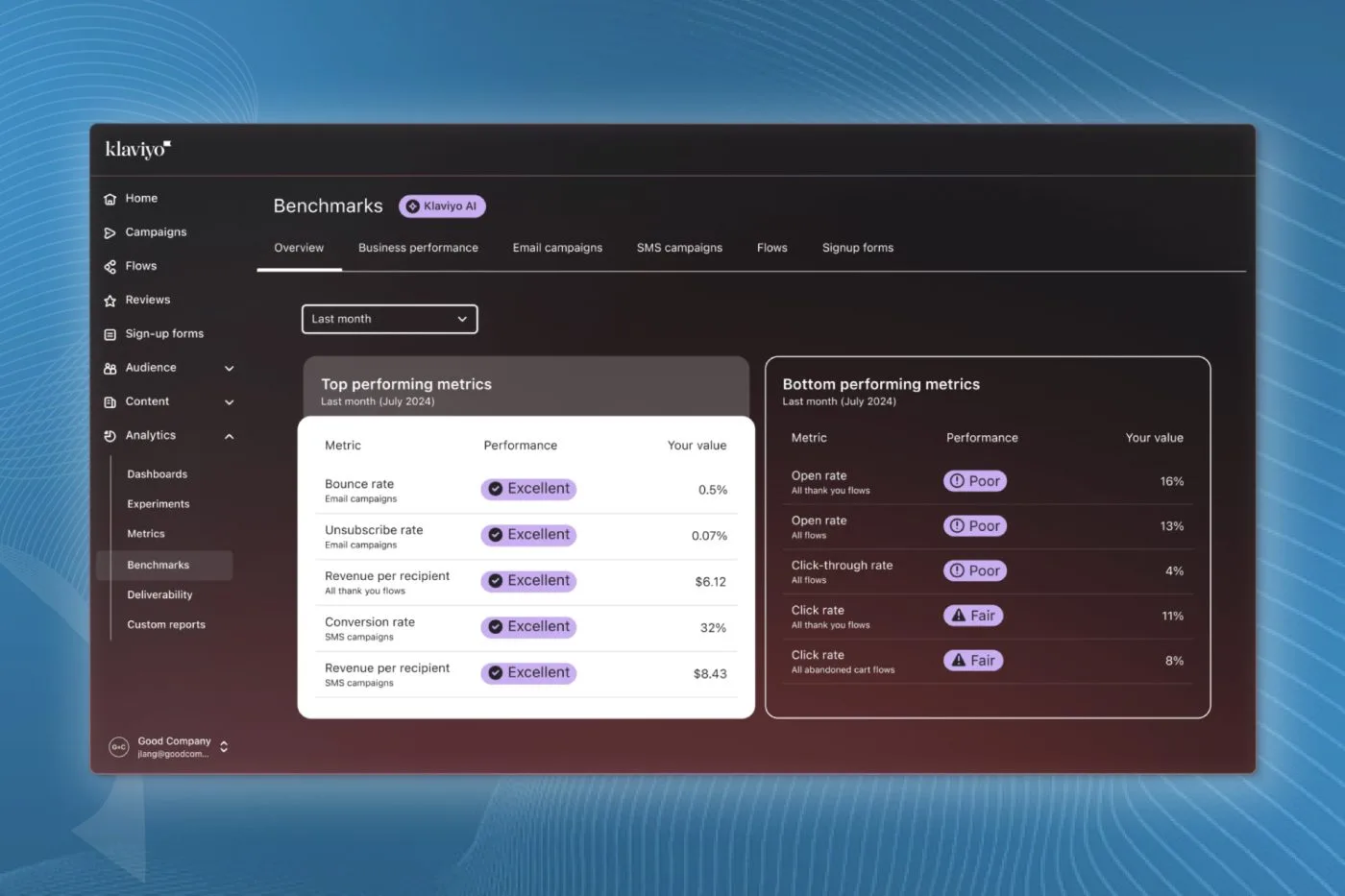
Campaign-level deliverability tells you what happened on a specific send. To see the bigger picture, head into Klaviyo's main Benchmarks report.
Select your exact industry vertical (such as Health and Beauty, or Apparel and Accessories) and compare your 30-day and 90-day averages. A single bad campaign will not destroy your account, but a consistent downward trend in your macro benchmarks means your deliverability strategy needs a complete reset.
Final Thoughts
Deliverability is not something you set once and forget. Checking your campaign deliverability tab after major sends allows you to catch domain blocks, regional issues, and list fatigue before they permanently damage your inbox placement.
If your open rates are sliding and you need a systematic review of your deliverability and segment health, request an account audit with the In-box team.