Inside the Klaviyo Deliverability Tab
Most brand owners glance at total revenue after sending a campaign and call it a day. That is a mistake. If you want consistent revenue from your email channel, you need to understand what happens between hitting send and landing in the primary inbox.
Klaviyo provides a dedicated deliverability tab inside individual campaign reports that breaks down exactly how inbox providers treat your email. Right at the top, you get a clean snapshot of your core metrics: open rates, click rates, bounce rates, unsubscribe rates, and spam complaint rates. It also plots where your numbers sit relative to industry standards, showing you immediately if an issue is brewing.
Diagnosing Domain and Inbox Provider Issues
Scroll down inside the report and you will see performance segmented by inbox provider, such as Gmail, Hotmail, and Verizon Media Group, alongside specific recipient domains. This is where deliverability troubleshooting actually starts.
Gmail might make up 65% of your list and perform cleanly, while Hotmail shows an aggressive spike in bounces. When that happens, leaving those contacts in your main sending pool drags down your overall sender reputation with every subsequent send. In my books, you need to isolate the problem immediately.
Here is what I do when a specific domain shows deliverability distress:
- Create a dedicated segment of profiles using that specific domain (for example, anyone with an @hotmail.com address).
- Exclude that domain segment from your primary campaign sends for roughly two to three weeks while you clean up the rest of your sending.
- Reintroduce the domain gradually, sending only to high-engagement subscribers who have opened or clicked within the last 30 days.
Filtering Out Geo and Device Blindspots
The deliverability report also breaks down engagement by country and email client (desktop versus mobile). This data gives you two practical levers to pull straight away.
First, geographic filtering. If you run an ecommerce store that only ships within New Zealand and Australia, but you notice 8% of your campaign volume going to Canada or the United Kingdom with zero purchases, exclude those countries. You are paying Klaviyo for those profiles and risking unnecessary bounces on contacts that will never convert.
Second, device splits. Most consumer brands see around a 50/50 split between desktop and mobile opens. If your mobile click-through rate is noticeably lagging behind desktop, your design is bloated. Test shorter copy blocks and prominent full-width buttons instead of fiddly text links.
The Order of Operations for Negative Metrics
When campaign metrics look rough, do not try to fix everything at once. You need a structured order of operations.
I always look at negative engagements first: spam complaints, unsubscribes, and bounces. A healthy spam complaint rate must sit well below 0.08% (roughly 1 complaint per 1,200 emails delivered). If your spam rate or unsubscribe rate spikes on a send, asking whether your call-to-action button was the right shade of blue is pointless.
High negative metrics point to three fundamental issues:
- Content mismatch: The campaign offered no real value or was jarringly off-brand compared to what subscribers expected.
- Poor list hygiene: You sent to unengaged contacts who have not interacted with your brand in 90 or 180 days.
- Frequency fatigue: You are simply emailing your list too often without segmenting based on interest.
Fix list hygiene and suppression rules first. Once negative metrics settle into a safe zone, move on to bounce handling, and only then start optimising opens and clicks.
Tackling Open Rates and Click Rates
Here is the thing about positive engagements: your click rate will always be poor if your open rate is poor. However, a high open rate does not guarantee a strong click rate.
If open rates are tracking below 35% on an engaged segment, focus on testing unconventional subject lines, tightening your preview text, and adjusting send times. You cannot convert someone who never opens the message.
Once opens are steady, focus on click rates. Improving clicks rarely requires a full redesign. Start with these practical adjustments:
- Refine the core offer so the value proposition is obvious within the top 300 pixels of the email.
- Use action-oriented verbs on call-to-action buttons (such as "Grab Your Size" instead of "Submit").
- Inject genuine urgency or scarcity into the copy rather than generic promotion text.
Benchmarking for the Macro View
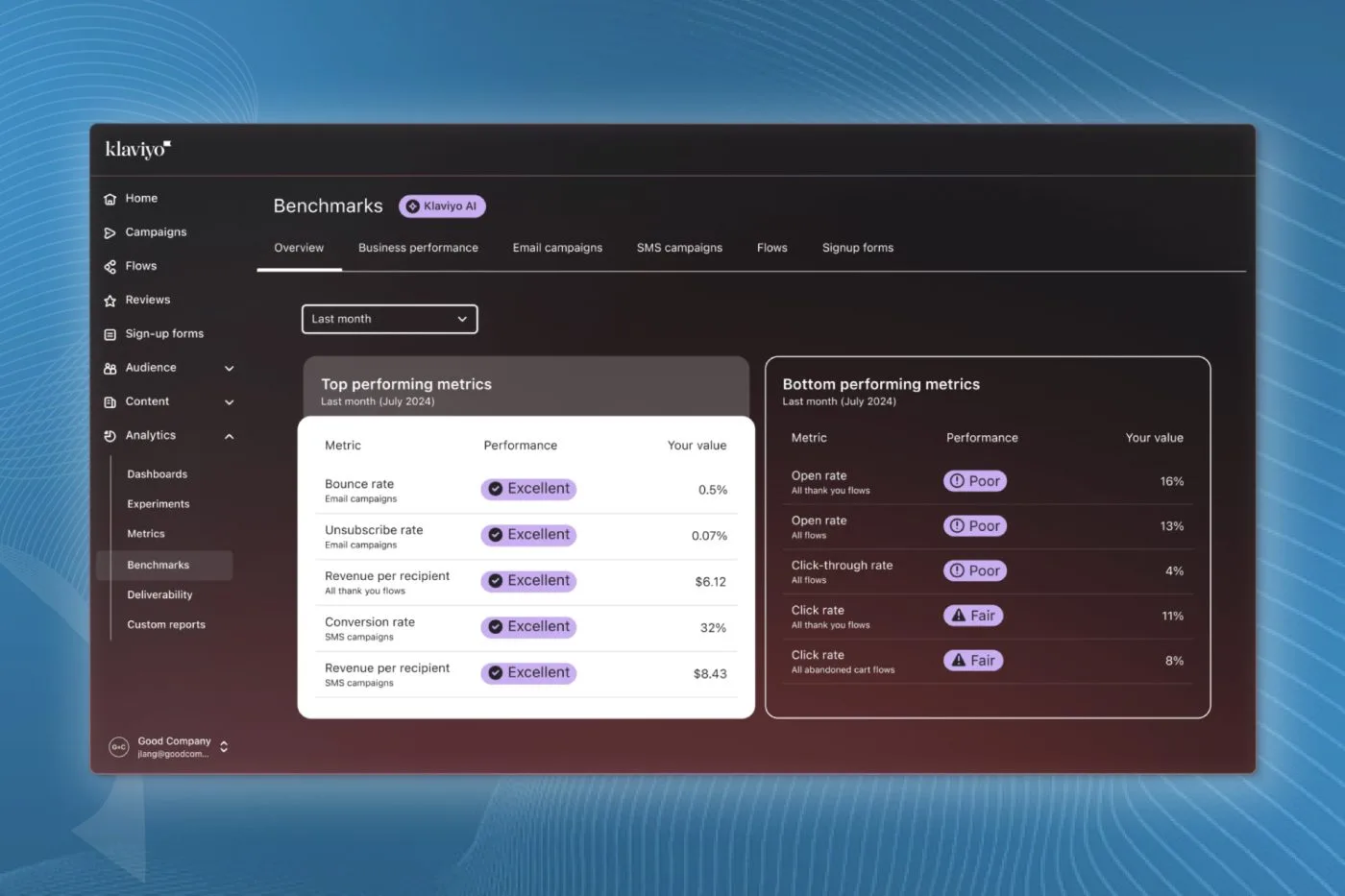
A single campaign deliverability report gives you the micro view, but you also need to monitor your macro health. Klaviyo includes an account-level Benchmarks report where you can select your exact industry vertical (for instance, Health and Beauty, Footwear, or Fitness and Wellness).
This tool compares your 30-day and 90-day rolling averages against thousands of peer brands in your category. It highlights whether an underperforming campaign was an isolated slip or part of a systemic deliverability decline across your entire account.
Final Thoughts
Deliverability is not something you set up once and forget. By reviewing the campaign deliverability tab after every major send, isolating troublesome inbox providers, and fixing negative metrics before worrying about click aesthetics, you protect your sender reputation and keep your revenue predictable.
If you want our team to review your current deliverability health and build a stronger campaign framework, book an In-box account audit and we will show you where your revenue is leaking.